Cluster Resource Gauges
Live CPU, memory, and storage usage with per-StorageClass breakdown. Longhorn-aware for accurate physical disk readings, not just bound PVC totals.
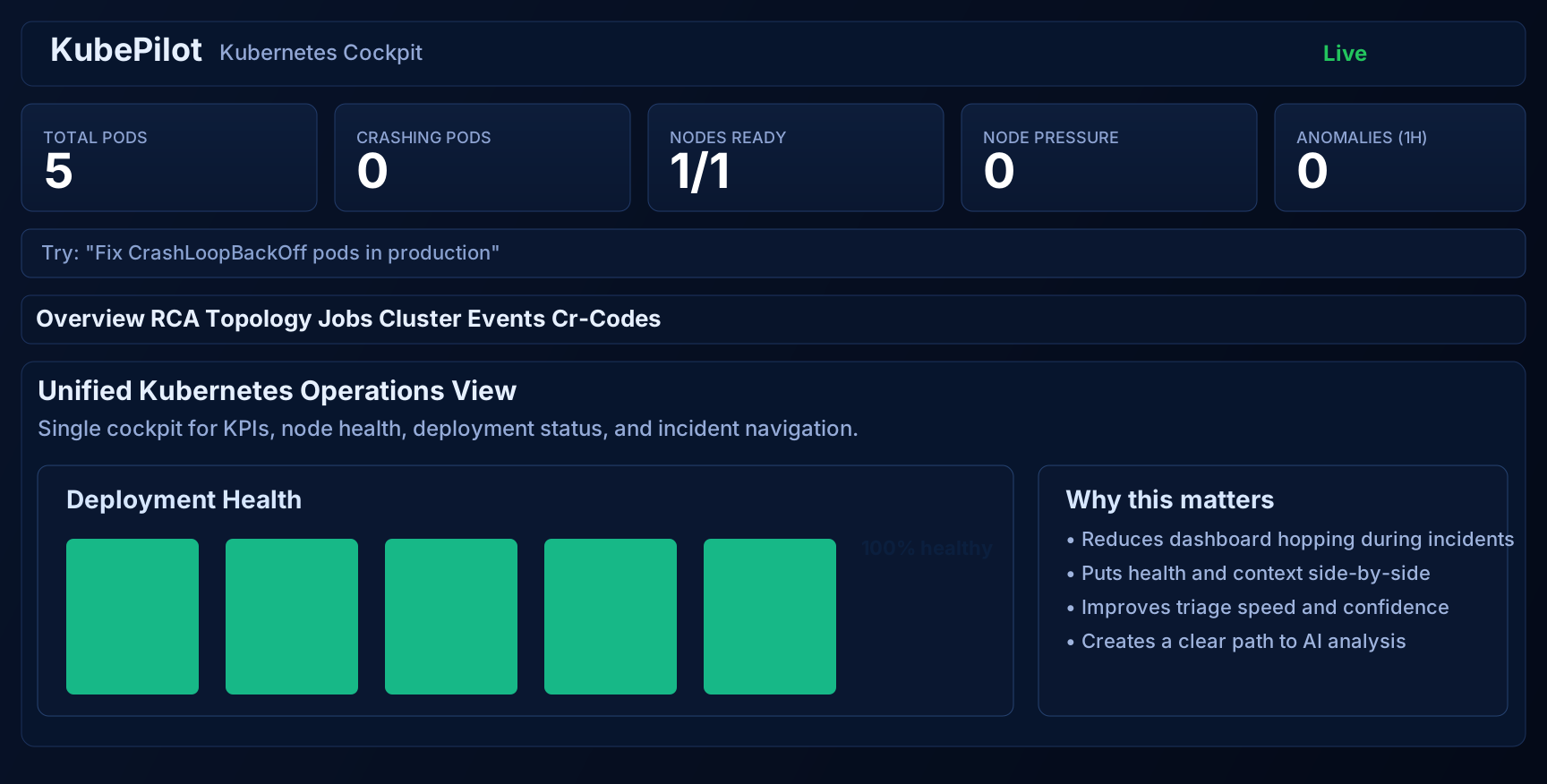
A single dashboard for cluster events, pod diagnostics, service topology, and AI-driven root-cause analysis. Resolve incidents faster—without jumping between tools.
Continuous anomaly detection with automated RCA, evidence chains, and remediation steps from local LLMs
7 opinionated diagnostic workflows out of the box, plus custom YAML runbooks with live hot-reload
Cluster-wide CPU, memory, and real disk usage (Longhorn-aware) updated every 15 seconds
Visual map from Ingress to Service to Workload to Pod, with health and dependency edges
A practical incident workflow that blends observability with AI-powered recommendations.
Live CPU, memory, and storage usage with per-StorageClass breakdown. Longhorn-aware for accurate physical disk readings, not just bound PVC totals.
Continuous watcher detects CrashLoopBackOff, OOM, ImagePull and node-pressure anomalies, runs RCA through your local LLM, and stores reports with evidence chains.
7 pre-built diagnostic workflows ship in the box. Drop YAML runbooks into a directory for fsnotify-driven hot reload — user runbooks override builtins by ID.
Browse Deployments, StatefulSets, DaemonSets, Jobs, Services, Ingresses, ConfigMaps, Secrets, and PVCs across all namespaces with live YAML and log viewers.
Open a tunnel into the cluster directly from the UI and reach the forwarded port through the dashboard reverse-proxy. Sessions are listed, cancellable, and auditable.
Optional embedded SQLite store persists RCA reports and anomalies across restarts. Configurable retention, WAL journaling, no CGO — same single binary.
Post formatted incident cards to a Slack incoming webhook for any anomaly or RCA at or above your configured severity. Failures degrade gracefully.
ArgoCD-style canvas links Ingress to Service to Workload to Pod with status colours, ports, and external IPs. Switch namespaces without leaving the page.
The header chip shows Ollama connectivity in real time. When the model is down, you see it instantly instead of waiting for the next RCA to fail.
Upload kubeconfigs, switch contexts, and route every dashboard query to the new cluster — no restart required.
Optional auth, read-only defaults, mutation gates, CR-code approval for risky actions, and CORS policies. Safe for production from day one.
Built-in MCP server for multi-cluster agent orchestration, remote AI coordination, and programmatic access.
A clear workflow that reduces mean-time-to-resolution.
Open Cluster Events to identify warnings, resource pressure, and failing pods at a glance.
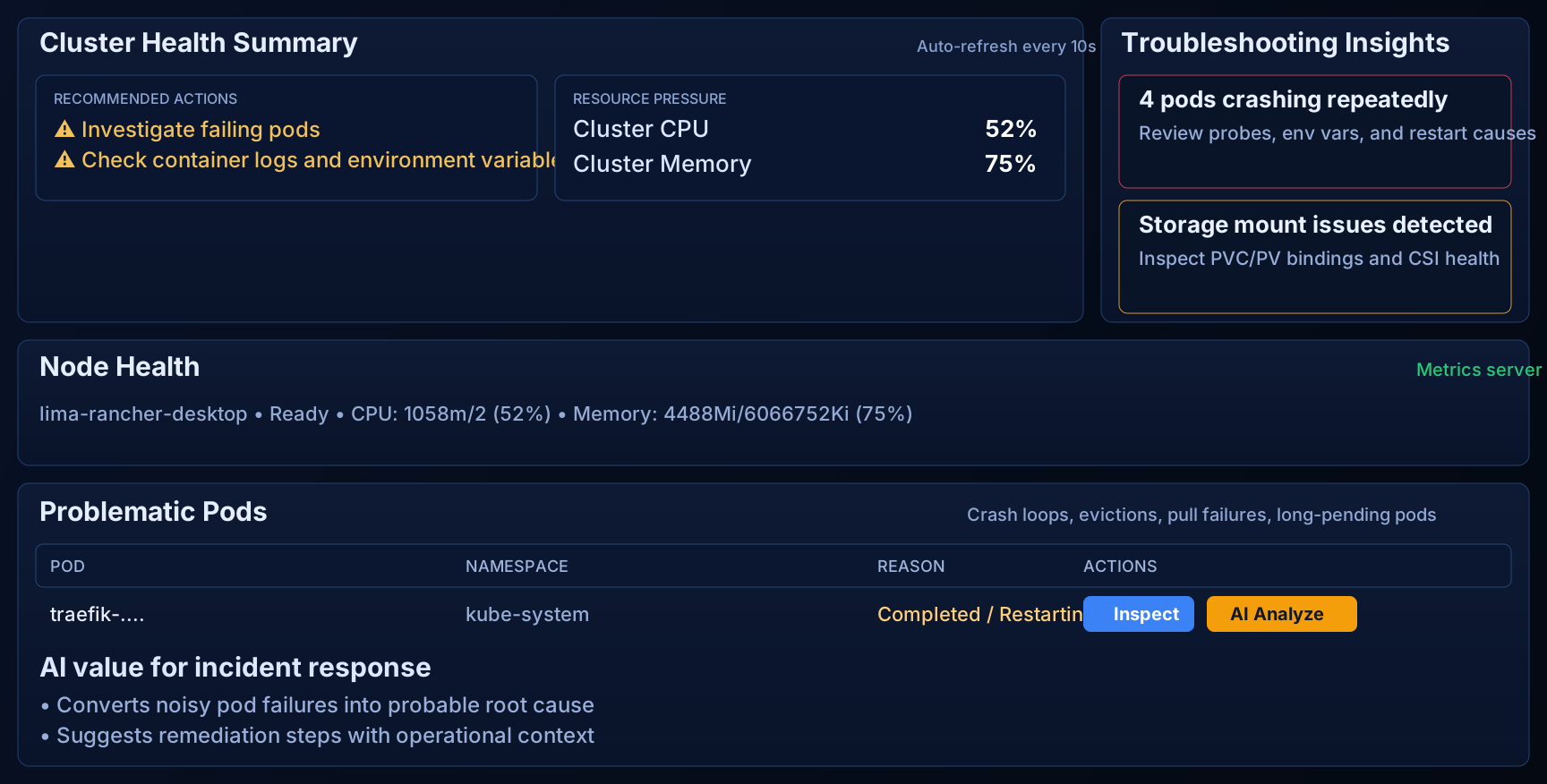
Drill into a problematic pod to view logs, event history, container state, and restart reasons.
Run AI Analyze to get a probable root cause and step-by-step remediation strategy.
Check impact via the service topology map and cluster health overview before taking action.
The KubePilot dashboard gives you everything in one place.
Choose the installation method that fits your workflow.
git clone https://github.com/bwalia/kubepilot.git
cd kubepilot
make dashboard-install && make dashboard && make build
KUBEPILOT_KUBECONFIG="$HOME/.kube/config" ./dist/kubepilot serve --dashboard-port=8383
helm upgrade --install kubepilot charts/kubepilot \
-n kubepilot --create-namespace
# Access via port-forward
kubectl port-forward svc/kubepilot -n kubepilot 8080:8080docker run --rm -p 8383:8383 -p 9090:9090 \
-v "$HOME/.kube:/root/.kube:ro" \
ghcr.io/kubepilot/kubepilot:latest \
serve --dashboard-port=8383KubePilot is free, open source, and built for teams that want faster incident resolution without vendor lock-in.